
⚙️ Settings
The settings tab allows you to choose which window contains your chart, modify Hot Keys, change voices, and fine tune credit consumption.
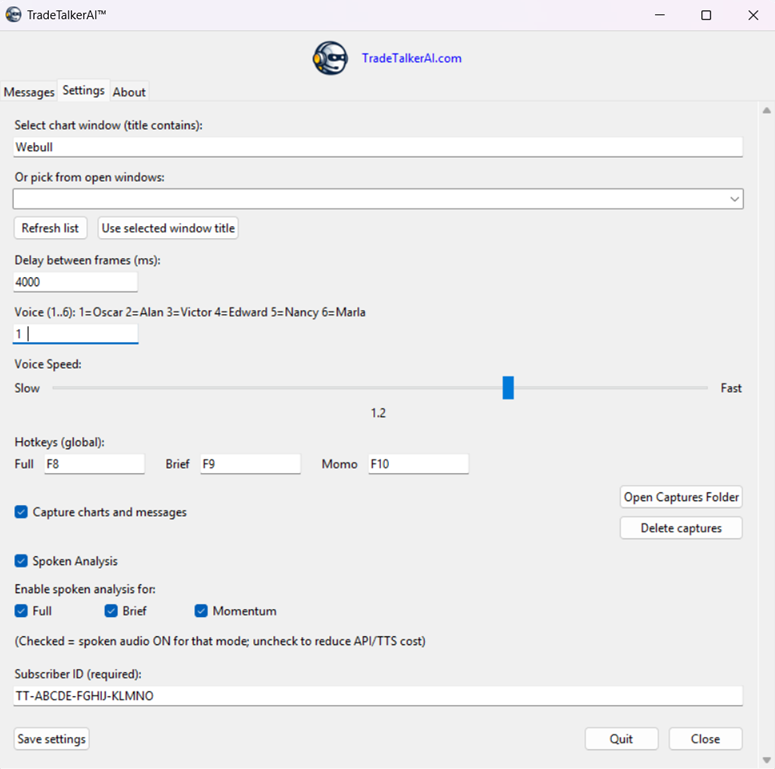
Subscriber ID

Chart Sources
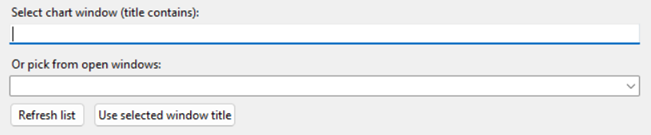
Desktop Application Chart

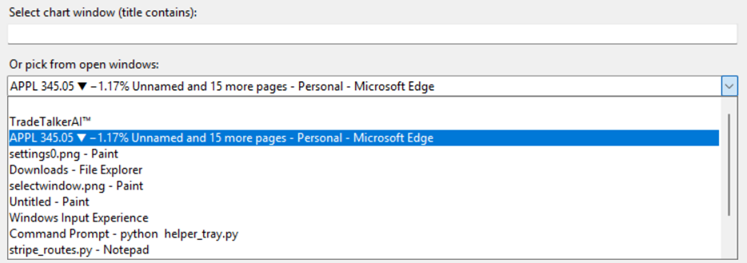
Browser Chart
Frame Rate
TradeTalkerAI takes two shapshots of the Chart you are viewing. The Frame Rate is the amount of time (in milliseconds) between snapshots. By default this is set to 4000ms, about half a second.
By analyzing the two snapshots TradeTalkerAI is able to detect momentum, price movement, etc….
Voice Selection and Speed

Hot Keys

Capture Charts and Messages
A copy of the charts you request for analysis (snapshots) are stored locally on your computer by default. You can change this by unselecting ‘Capture Charts and Messages’. You may also display or delete the messages with the ‘Open Captures Folder’ and ‘Delete Captures’ buttons.
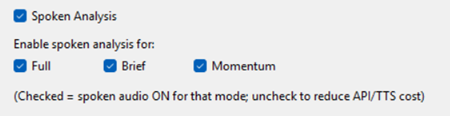
Spoken Analysis (Audio On/Off)
💾 Save Settings
- Applies changes instantly
- Settings persist between sessions
- No restart required